How to Remove Sensitive Data From AI Call Transcripts Before CRM Sync
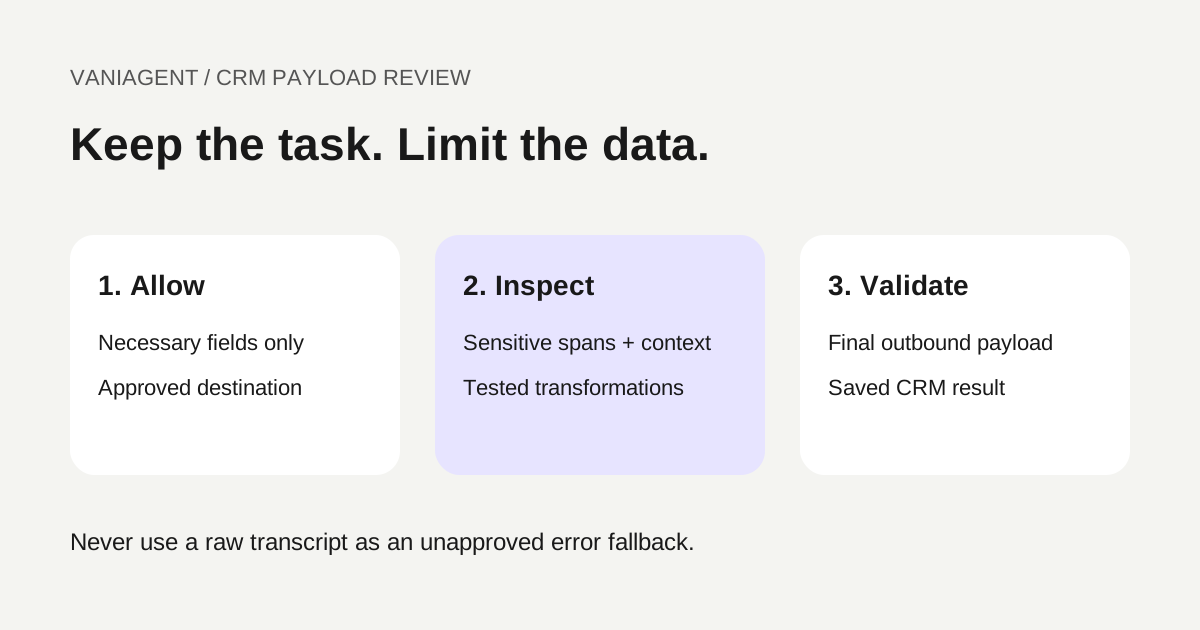
Before syncing an AI call to a CRM, decide which fields the CRM actually needs and validate the final payload against that policy. Exclude unnecessary content first, inspect any permitted free text and transform sensitive findings before sending. Do not rely on a prompt asking the model to “remove PII.”
The goal is a useful business record with controlled information, not a complete transcript copied everywhere. This guide provides a proposed field policy, transformation workflow and acceptance checklist. It does not claim that a particular VaniAgent deployment already performs these controls.
For the wider integration, see our voice-agent CRM guide. Use the data-flow review template to identify the copies and services affected by the policy.
Start with the destination schema
A CRM might need an authorized contact reference, enquiry category, branch, verified booking reference and follow-up status. It may not need the caller's full speech, payment details or unrelated personal story.
Write an allowlist of fields for each task and destination. Specify who can access them and how long they remain. A general sales note and a restricted case record may require different treatment; do not send the same payload to both by default.
| Proposed field | Example policy decision to approve |
|---|---|
| Contact reference | Use the approved internal identifier |
| Phone or email | Allow only in designated fields where needed and authorized |
| Enquiry type | Retain a controlled category |
| Booking reference | Retain a verified action identifier |
| Free-text summary | Permit only necessary task context after inspection |
| Full transcript | Exclude unless the specific use and access are approved |
| Credentials or authentication codes | Do not collect in this general CRM workflow |
This table is an illustrative design, not a universal legal classification. The business's responsible team should approve purpose, fields, access and retention for its actual service.
Distinguish exclusion, masking and tokenization
Exclusion means the field is not sent. Masking replaces selected content with a label or partial representation. Tokenization substitutes an identifier, potentially with a separate mapping. Those have different operational and privacy consequences.
If a CRM must link a note to an existing contact, an internal reference may preserve that function without duplicating the phone number in narrative text. A token can still be linkable or reversible, so it should not automatically be called anonymous.
Google Cloud's de-identification documentation describes inspection and transformation options. Its infoType documentation explains built-in and custom detectors, contextual clues and likelihood scores. These provider-specific tools require configuration and testing; their availability is not a guarantee that every sensitive span is detected.
The references were checked on 16 October 2026. Confirm relevant language, format and regional detector coverage before using any service for your data.
Map where inspection occurs
Trace the transcript from its origin to the CRM. Include the summarizer, redaction service, temporary storage, queues, retries, diagnostics and staff review tools. Sending raw content to a new detector is itself a data transfer that needs review.
If the summarizer receives raw text before redaction, that exposure has already happened even when the CRM receives a clean result. Decide which processing is approved and where minimization should occur. Do not claim that downstream masking prevents all upstream processing.
Avoid creating unnecessary raw copies for debugging. Keep secrets and sensitive values out of routine application logs. A clean CRM note is insufficient if the failed-request log contains the original payload.
Use a controlled processing sequence
- Verify the interaction and destination are in scope for CRM sync.
- Build only the approved structured fields from verified task results.
- Exclude raw transcript and unnecessary metadata by default under the policy.
- Inspect permitted narrative fields using the approved detector configuration.
- Apply category-specific transformations and preserve necessary meaning.
- Validate the complete outbound payload, including nested fields and attachments.
- Submit to the correct CRM record and verify the write result.
- Record a minimal policy version and sync outcome without logging removed values.
Give uncertain results a defined state. The pipeline should not substitute the raw content if inspection times out. A separately validated minimal payload may be acceptable where the policy explicitly permits it; otherwise quarantine for authorized review.
Fictional before-and-after example
Suppose a caller says they want a callback about an order, gives a contact email and volunteers an authentication code. The general support CRM needs the order reference and callback task, while the email belongs only in an approved contact field if needed.
| Output | Example |
|---|---|
| Unfiltered narrative to avoid | “Call me at demo@example.com about order TEST-204. My verification code is six digits…” |
| Proposed task summary | “Requested callback about order TEST-204; staff verification pending.” |
| Separate approved field | Contact reference linked through the authorized CRM mapping |
| Excluded content | Authentication code and unnecessary repetition of contact information |
The example uses a reserved example domain and a fictional order reference. It is not a measured redaction result. The agent should also discourage unnecessary sharing of secrets and use the approved secure verification route, rather than relying on later cleanup.
Check the final saved record, not only the transformed text shown in a preview. A connector may append an unfiltered transcript or other metadata after the redaction stage.
Test Hindi, Hinglish and transcription variations
Sensitive values may appear as digits, spoken number words, spaced groups or a mixture of scripts. A detector that finds one formatted account number may miss the same value spoken naturally or misrecognized by STT.
Create fictional tests for Hindi-English switching, number words, repeated corrections, punctuation differences and similar non-sensitive values. Preserve the reference labels and expected transformations. Use the Hindi telephone-audio testing guide to separate recognition errors from redaction failures.
Do not normalize away meaning merely to make detection easier. Keep task-critical dates, amounts and negation when their retention is approved. Over-redaction can produce a CRM note that is safe-looking but operationally wrong.
Measure missed findings and excessive removal
Use an independently reviewed test set with labelled spans or fields. Track sensitive findings missed, non-sensitive content removed and whether the retained note still supports the approved task.
In a fictional set containing 100 labelled sensitive spans, a detector finds 90 and raises ten additional incorrect findings. Its span-level recall is 90/100 = 90%, while precision is 90/100 = 90% because there are 100 total findings. This is arithmetic, not a performance claim. The ten misses can still be consequential despite a seemingly good percentage.
State the matching rule, categories, language mix and unresolved cases. Do not equate detector scores with end-to-end CRM protection: payload construction, retries and logging can introduce leaks outside the detector's test.
Handle payment information through an appropriate workflow
Do not collect payment-card secrets in an ordinary receptionist transcript and assume masking later makes the process compliant. Use a reviewed payment flow appropriate to the business and integration.
Twilio's PCI voice workflow documentation describes product-specific configuration for payment-card handling. A provider capability or a text-redaction step does not establish compliance for the entire business system.
For audio and transcript retention controls, see the recording-refusal guide. Text transformation does not erase what remains in recorded audio, summaries, exports or backups.
Protect retries and manual review
Keep the approved transformed payload, its policy version and the logical sync reference associated with the retry. Revalidate where task or policy changes require it. Do not let a retry handler rebuild the note from the original raw transcript without repeating controls.
Limit review access and record the decision. A quarantine queue should not become a broadly accessible archive of the most sensitive content. Retention and deletion apply to review records too.
Use duplicate-prevention and appropriate CRM update semantics so retries do not create multiple notes or overwrite verified staff changes. Inspect the actual saved result before announcing that sync succeeded.
Run these payload-level acceptance tests
| Test | Expected evidence |
|---|---|
| Secret volunteered in a call | Excluded from the authorized CRM payload and routine logs |
| Number written in words | Correct handling under the tested language rules |
| Non-sensitive amount resembles an identifier | Retained or reviewed according to the category policy |
| Detector times out | No raw-transcript fallback |
| Connector appends an attachment | Final payload validation detects out-of-scope content |
| Retry after partial failure | No control bypass or duplicate note |
| Wrong customer mapping | Sync blocked rather than writing to another record |
| Policy version changes | Pending work follows the defined revalidation rule |
| Manual review is required | Restricted queue and attributable decision |
Use fictional records first. Inspect the network payload or authorized connector trace, the resulting CRM fields and diagnostic logs. A summary that looks masked in the agent dashboard is not proof of what the CRM received.
Roll out by field and destination
Start with one task and an approved minimal schema. Add narrative fields only when their benefit, controls and evidence are clear. Review failures and permitted samples after launch, including the content that automation did not flag.
Keep business approvals separate from implementation checks. People define necessary information and acceptable treatment; code enforces schemas, detects patterns, transforms content and validates outbound records. The useful result is a CRM record that supports the task while avoiding unnecessary sensitive data across the actual sync path.
Frequently asked questions
How do I remove sensitive data before syncing an AI call to a CRM?
Define an approved destination schema, exclude unnecessary fields, inspect permitted free text and transform sensitive findings before submission. Validate the final outbound payload and block or quarantine uncertain cases according to the approved policy.
Is a redacted transcript anonymous?
Not necessarily. Remaining context, identifiers, linkage or reversible tokens may still identify someone. Describe the transformation accurately rather than calling every masked record anonymous.
Can regular expressions detect all sensitive content?
No. Patterns help with known formats but can miss spoken numbers, transcription errors and contextual disclosures. Validate a combination of schema controls and appropriate detectors on representative permitted or fictional examples.
Does transcript redaction also remove sensitive audio?
No. Audio recordings, transcripts, summaries, logs and exports are separate records. Apply the approved controls to each relevant copy and verify their scope.
Should every phone number be removed from CRM data?
Not automatically. An approved contact field may be necessary for the task, while a repeated number in free-text notes may be unnecessary. Define purpose, access and allowed fields rather than applying one transformation indiscriminately.
What should happen when the redaction service fails?
Do not silently send the raw transcript as a fallback. Use a defined blocked or review state, or send only an independently validated minimal payload if the approved policy allows it.
Review your CRM payload policy
Bring your approved destination fields, retention requirements and fictional test cases to a scoped VaniAgent demonstration. Verify the actual sync payload and failure paths before relying on a redaction claim.
Put these ideas into production
Deploy AI voice agents in minutes and build outbound, inbound, and follow-up workflows on one platform.
Related Articles
How Do AI Voice Agents Integrate With CRM Systems?
Learn how AI voice agents integrate with CRM systems like HubSpot and Salesforce, what fields to sync, how call summaries work, and what workflow automations to test before launch.
Map Where Your Voice-Agent Data Goes: A Vendor Review Template
Map voice-agent audio, transcripts, model requests, CRM writes and backups with a vendor-review worksheet, evidence labels and change-control checklist.
What Should an AI Agent Do When a Caller Refuses Recording?
Design an AI caller recording-refusal workflow with verified stop controls, transcript checks, accurate scripts, human fallback and retained-media tests.
How to Test Hindi Speech Recognition on Real Telephone Audio
Test Hindi phone speech recognition with native carrier audio, held-out human recordings, reviewed transcripts, WER, field accuracy and live-stream checks.