Can an AI Receptionist Notify Patients When a Doctor Is Running Late?
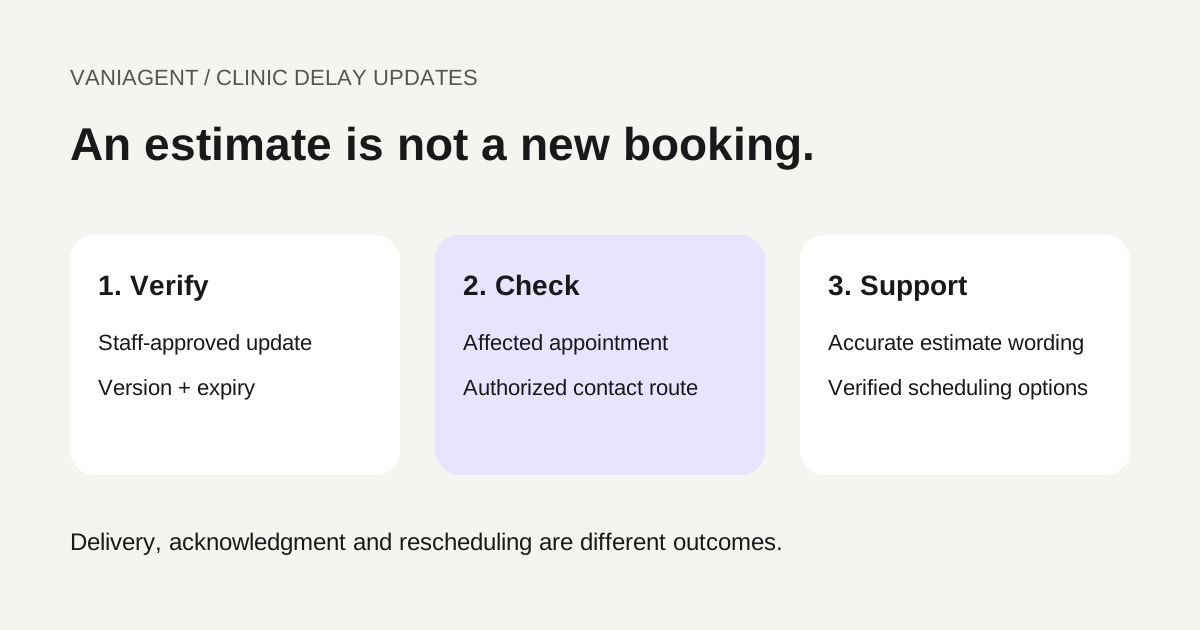
An AI receptionist can help notify patients about a doctor delay when the clinic supplies a verified update, an approved recipient list and clear response options. The assistant should communicate an estimate honestly, distinguish a notice from a confirmed schedule change and route clinical or uncertain cases to staff.
The workflow is operational communication, not medical triage. It should not infer the delay from a quiet calendar, promise a consultation start time or decide that a patient can safely wait.
This guide provides a proposed notification design, a delay-update worksheet and acceptance tests. It does not claim a live VaniAgent clinic integration or measured reduction in patient waiting. For the broader use case, see AI voice agents for healthcare in India.
Start from a staff-approved delay event
A delayed practitioner, a late clinic opening and a cancelled session are different events. The clinic should identify the affected branch, practitioner, session and appointment range, with the current estimate and approved wording.
Record who approved the update and when. Use a stable event reference and version so a repeated update does not create duplicate notices and a later revision can supersede earlier work.
Do not assume that every future appointment is affected equally. The front desk or authorized scheduling process should determine the recipient scope and exceptions. Some patients may already be onsite, have cancelled or have a separate instruction from staff.
Keep a minimal delay-update worksheet
| Field | Why it matters |
|---|---|
| Delay event ID and version | Links notices to one approved update |
| Branch, practitioner and session | Prevents notifying the wrong group |
| Affected appointment scope | Defines which records need review |
| Approved estimate or status | Distinguishes a delay estimate from cancellation |
| Update time and expiry | Limits stale statements |
| Approver and owner | Identifies who can revise the information |
| Permitted patient wording | Avoids improvised guarantees |
| Contact and disclosure rules | Governs recipients and channels |
| Allowed responses | Wait, staff assistance or rescheduling request |
| Escalation route | Handles uncertainty and clinical concerns |
Keep the delay record separate from the original appointment. A notice that the clinic is delayed should not silently overwrite every booked start time.
Recheck appointment state before contacting
Build the affected list from current scheduling records, then verify each appointment before dispatch. Exclude cancelled, already moved or otherwise out-of-scope records according to the clinic's rules.
Google Calendar's event-retrieval reference, checked on 16 October 2026, documents retrieving an event by calendar and event identifier. It is an example of a current-record lookup, not a complete clinic scheduling or patient-notification system.
Confirm the actual integration's identifiers, permissions and status semantics. A generic event description is not sufficient evidence of a patient match or authority to disclose information. Use the multi-branch routing guide to keep branch mapping consistent.
If the delay update expires or the schedule cannot be reconciled, hold the automated notice for review. Do not fill the gap with a guessed arrival time.
Use approved contact preferences and minimal disclosure
Check the clinic's permitted purpose, channel and authorized contact destination. A reminder preference should not automatically become permission for unrelated campaigns. Confirm applicable outreach requirements with the clinic's responsible team and provider; TRAI's consent guidance is a relevant starting reference for purpose-related communications.
Before verification, avoid revealing unnecessary appointment, treatment or practitioner details to whoever answers. Shared phones and authorized caregivers need the clinic's established process. Voicemail and message-preview wording should follow the approved minimal-disclosure policy.
Keep only the data needed for the notice. The calling workflow does not need diagnosis notes or the complete patient history to communicate an approved scheduling update. Use the data-flow review template for recordings, messages and staff tools.
Explain an estimate without promising a new appointment time
After the required verification, an illustrative script might say: “Our front desk has reported a delay for today's session at the Baner branch. The current estimate is about 30 minutes, and it may change. Would you like help from the clinic team about your appointment?”
Use this only where it matches the actual approved update. Do not say “arrive exactly 30 minutes later” unless the clinic has specifically authorized that instruction for the patient's appointment. Preparation requirements, arrival procedures and other resources may differ.
State the relevant date and local time clearly. An asynchronous message saying “today” or “in half an hour” can become misleading if delivered late. Prefer the approved dated estimate and expiry rules for the channel.
The agent should not explain the reason for the doctor's delay by inventing a clinical event or disclosing information about another patient.
Separate notice, acknowledgment and agreement
| State | What it establishes |
|---|---|
| Notice job created | Update is queued for the approved recipient |
| Provider accepted | Submission was accepted, not necessarily delivered |
| Delivered or connected | Transport outcome, not agreement |
| Recipient acknowledged | Update was acknowledged under the defined process |
| Reschedule requested | Patient wants a change, not yet a saved booking |
| Verified reschedule | Authorized scheduling change succeeded |
Twilio's message-status guide documents delivery-state tracking for its supported messaging routes. Those transport events do not establish patient consent to a changed appointment.
For WhatsApp follow-ups, verify the current messaging eligibility and template requirements using the follow-up troubleshooting guide. A successful phone notice does not automatically establish eligibility for every later message.
Offer rescheduling through the existing safeguards
If the patient cannot wait, offer the supported staff or rescheduling process. Check current availability, branch, practitioner and resource rules before proposing an alternative.
Do not cancel the original appointment merely because the patient asks what else is available. If a change is approved, use the scheduling system's supported operation and verify the final state. A lost write response needs reconciliation before retrying.
Use the double-booking prevention guide for duplicate and uncertain-write handling. The clinic waitlist guide covers a separate workflow if an authorized cancellation later creates a vacancy.
Handle changing estimates and stale jobs
Suppose a fictional delay event begins at 10am with a 20-minute estimate, then staff revise it at 10:10am to 40 minutes for the affected session. An unsent notice based on version one should not go out after version two becomes applicable.
Link jobs to the approved update version and revalidate before dispatch. Apply the clinic's notification-frequency policy so repeated internal edits do not create a flood of calls. Decide when a material change requires another notice and who approves it.
For people already contacted, preserve what was actually communicated and when. Do not rewrite the history to imply they received the later estimate. Record unresolved contact attempts and staff follow-up needs.
This example is illustrative; it does not predict a doctor's schedule or recommend universal notification intervals.
Escalate clinical concerns without improvising triage
If a patient raises symptoms, asks whether waiting is medically safe or reports an urgent concern, use the clinic-approved clinical escalation path. The notification assistant should not minimize symptoms or tell the person that a delay is harmless.
Keep the process and available staff contacts approved and current. A general support queue is not automatically an urgent clinical-response service. The script should accurately describe what the route can do and follow the organization's established emergency instructions where relevant.
This article concerns operational scheduling; it does not provide medical assessment criteria. Have the clinical team approve the relevant exception handling before launch.
Test with fictional appointments and controlled destinations
- Wrong branch or session: no notice is generated.
- Appointment cancelled after list creation: dispatch skips the obsolete task.
- Unverified recipient answers: no private appointment details are disclosed.
- Delay estimate expires: staff review replaces unsupported certainty.
- New update supersedes old queued work: the correct version is used.
- Message delivered without reply: no automatic reschedule is inferred.
- Patient asks for another slot: original booking is not cancelled prematurely.
- Reschedule response is lost: no duplicate appointment is created.
- Patient raises a clinical concern: approved escalation occurs.
- Multiple update events arrive: duplicate notices are prevented.
Inspect the scheduling records, notification status and patient-facing wording. A job marked complete is not sufficient evidence that a patient received or understood the change.
Measure coverage and verified outcomes
Track eligible affected appointments, notice attempts, verified recipients reached, acknowledgments, staff requests, successful reschedules and unresolved cases. Separate transport failures from identity or schedule mismatches.
In a fictional set of 50 eligible appointments, suppose 40 patients are verified and reached, ten request staff help and six complete a reschedule. Report those stages with the observation period. Do not call all 40 acknowledged unless the acknowledgment definition is actually met, or assume all six reschedules resulted in attendance.
Patient waiting-time improvement needs its own baseline and observations. Sent-message counts alone cannot establish fewer clinic waits. Include complaints, wrong-recipient events and staff work in the pilot review.
Start with one clinic session and a staff-owned update process. Expand only when the delay source, recipient controls, wording and scheduling outcomes agree in the tested workflow.
Frequently asked questions
Can an AI receptionist notify patients when a doctor is running late?
A clinic-approved workflow can notify eligible affected patients using a verified delay update and approved contact route. It should state the estimate accurately, track delivery or acknowledgment and offer staff help or controlled rescheduling where supported.
Can the agent calculate a delay by shifting every appointment equally?
Not safely without an approved scheduling rule and current evidence. Consultation lengths, urgent cases and other resources can change the queue. Use staff-approved estimates and clearly distinguish them from confirmed appointment changes.
Does a delivered message mean the patient agreed to a new time?
No. Delivery, acknowledgment, agreement and a saved reschedule are separate states. Do not move an appointment merely because a message was delivered.
What should the assistant say when the delay estimate changes?
Use the latest approved update, explain that the estimate changed and avoid an unsupported guarantee. Supersede obsolete pending notices and follow the clinic’s approved re-notification policy.
Can a family member receive the delay notice?
Only within the clinic’s authorized-contact and disclosure process. A shared phone does not establish permission to reveal patient or appointment details to whoever answers.
Should the assistant tell a patient with concerning symptoms to wait?
No. Use the clinic-approved clinical escalation path. A schedule-notification workflow should not assess medical urgency or reassure a patient that delaying care is safe.
Scope a clinic-delay pilot
Bring your staff-approved update process, appointment source and contact rules to a scoped VaniAgent demonstration. Test fictional appointments and the staff escalation path before enabling patient notifications.
Put these ideas into production
Deploy AI voice agents in minutes and build outbound, inbound, and follow-up workflows on one platform.
Related Articles
AI Voice Agents for Healthcare in India: Clinic Calls and Appointments
A practical guide to healthcare voice agents in India for clinic appointments, reminders, missed calls, and patient FAQs, with clear clinical escalation and privacy controls.
How Does AI Book Appointments Without Double-Booking?
Design reliable AI appointment booking with current availability, exclusive reservations, idempotent retries and a runnable calendar-conflict demonstration.
Can an AI Receptionist Fill Cancelled Clinic Appointments From a Waitlist?
Plan a clinic cancellation waitlist workflow with patient permission, temporary slot holds, offer deadlines, staff approval and verified rebooking.
AI Receptionist for Multiple Branches: Route Calls to the Right Location
Plan an AI receptionist for multiple branches with a routing matrix, separate calendars, holiday hours, wrong-branch recovery and a launch checklist.