WhatsApp Business Calling vs Normal Phone Calls: What Can You Connect?
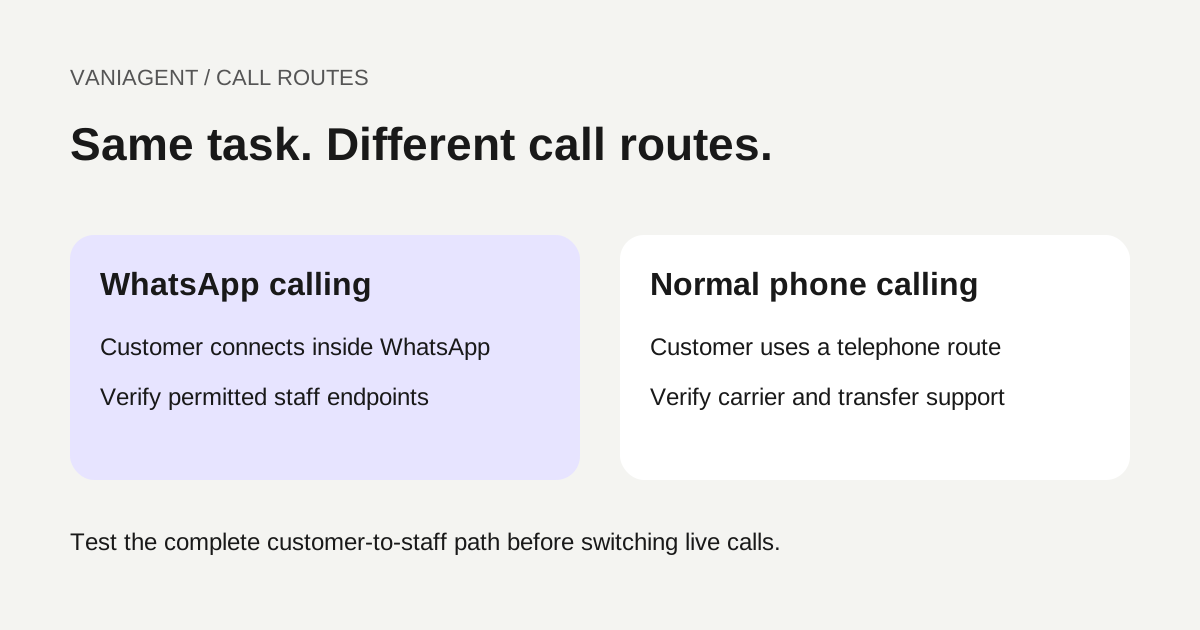
WhatsApp Business Calling and normal phone calls can serve the same customer task, but they are different communication routes. WhatsApp calling reaches a customer inside WhatsApp. Normal calling reaches a telephone endpoint. A product offering both channels must still prove its permissions, routing and human handoff for each one.
Before selecting a platform, ask it to demonstrate the complete route you need: where the customer starts, where the AI runs and where a person answers if the AI cannot finish. “Supports WhatsApp” is insufficient because it may mean messaging, voice notes or live calling.
This guide provides a buyer's comparison and a route-testing worksheet for Indian businesses. It describes proposed designs rather than confirmed VaniAgent deployment features. For the broader integration architecture, see our WhatsApp and phone AI guide.
Separate three different uses of WhatsApp
| Customer experience | What the customer does | What you should ask the supplier to demonstrate |
|---|---|---|
| Messaging | Sends or receives text, images or other supported messages | Incoming message, permitted reply and delivery tracking |
| Voice note | Sends or receives an audio message | Supported audio handling and the resulting task record |
| Live WhatsApp call | Has a real-time voice conversation in the app | Two-way audio, interruption, call state and permitted staff handoff |
| Normal phone call | Dials or receives a telephone call | Carrier route, called number, audio and staff transfer |
Do not accept a recorded audio message as proof of a live voice agent. During a demonstration, interrupt the agent, correct a detail and ask for staff. Inspect the task result as well as the conversation.
Current connection rules to verify
As checked on 16 October 2026, Twilio's WhatsApp Business Calling guide requires an activated messaging sender plus calling configuration and eligibility. It distinguishes user-initiated and business-initiated calls; the latter require customer call permission. Its documented route rejects connections between WhatsApp endpoints and the public telephone network (PSTN). Country coverage, account prerequisites and permission limits also apply. Confirm them for the sender and provider you will actually use.
This is evidence about the documented integration, not a claim that every vendor has identical implementation details. Request written confirmation and test the proposed route. Do not interpret a SIP or browser endpoint as an unrestricted way to bridge onwards to a prohibited telephone destination.
Compare the complete route, not just the entry channel
Draw your customer-to-staff path before buying. Use these examples as procurement questions, not promises of compatibility.
| Proposed route | Required evidence before approval |
|---|---|
| Customer phone → AI → staff phone | Supported carrier routing, transfer outcome and billing by leg |
| Customer WhatsApp call → AI → supported staff application | Provider confirmation of the endpoint and a successful handoff test |
| Customer WhatsApp call → ordinary staff mobile | Check restrictions; do not assume a direct transfer is available |
| Customer phone → later WhatsApp message | Verified recipient, messaging eligibility and shared case record |
| Customer WhatsApp chat → requested voice conversation | Correct call initiation method and applicable permission state |
The endpoint matters more than its label. Ask whether “human transfer” means a desk phone, an ordinary mobile call, a browser agent or another supported voice endpoint. A successful demonstration using a vendor's browser dashboard does not prove compatibility with your branch's existing mobile phones.
If the requested live transfer is unavailable, design an explicit alternative. The agent can offer a separate callback if the customer agrees and the business can fulfil it. Keep the first interaction's case reference and unresolved task visible to staff. Do not call an asynchronous callback a seamless live transfer.
Choose based on the customer and the task
Start with observed demand. Count enquiries arriving through existing phone numbers and WhatsApp, then identify tasks that a controlled pilot can resolve. Examples include branch information, an appointment enquiry or a requested order-status update after appropriate verification.
Normal phone service may fit customers who already dial your published number. WhatsApp calling may fit customers who prefer starting inside a business chat. Those are hypotheses to test with your audience, not universal channel conversion claims.
Check practical conditions: customer connectivity, device support, language requirements, staff availability and the recovery path when audio fails. A channel that handles the first question well but cannot reach the right staff member may be a poor fit for a complex support queue.
Keep permissions separate from customer identity
Maintain distinct checks for who the person is, what task they are authorized to perform and whether the intended contact is permitted. Passing one check does not establish the others.
For example, recognizing a returning customer's number should not automatically authorize a sensitive account change or an unsolicited callback. Keep withdrawals and expired permissions visible to the workflow. Define how staff can review an uncertain permission state without repeatedly contacting the customer.
For a phone conversation that continues in WhatsApp messaging, use the customer-context handoff guide. That scenario concerns a new messaging step, not a conversion of the existing telephone call into a WhatsApp voice session.
Share task logic while keeping channel controls explicit
A useful architecture can share approved business information, service rules and CRM actions across channels. Keep the channel-specific controls around that logic: entry events, permission checks, audio behaviour, supported transfers and termination outcomes.
Use a stable case identifier to connect interactions. Preserve the verified customer mapping, the customer's current request and actual saved action results. Do not assume that using the same AI model creates shared memory or that a transcript summary proves a booking was saved.
If the customer changes channels while staff are responding, define a single active owner. Prevent the AI and a person from issuing conflicting confirmations. The human handoff guide explains the wider ownership and escalation requirements.
Ask for separate cost lines
Do not compare a messaging price against an all-in telephone price. Request a written quote for the same task and expected workload, then mark missing items as unquoted rather than zero.
| Cost question | What to put in the comparison worksheet |
|---|---|
| Voice transport | Channel, direction, destination and billable duration |
| AI service | Included model and speech scope; billable unit |
| Messaging | Required follow-ups and applicable template charges |
| Human handoff | Supported endpoint and any additional billed legs |
| Recording | Retention, export and storage scope |
| Capacity | Simultaneous sessions, queueing and overflow |
| Setup | Sender onboarding, integration and acceptance tests |
| Commitments | Minimum spend, exclusions and cancellation terms |
Use Twilio's current WhatsApp pricing page as a provider-specific reference, then obtain the quote applicable to your configuration. This article does not assume either channel is free or consistently cheaper.
For a worked normal-calling budget, see inbound versus outbound AI calling costs. Reuse the method of separating components, but replace the assumptions with the chosen channel's actual billable units.
Run this acceptance checklist with the vendor
- Identify the business sender, customer entry point and exact staff endpoint.
- Demonstrate an incoming call on each proposed channel using the intended account configuration.
- Demonstrate a permitted outgoing call and the appropriate blocked or denied-permission outcome.
- Ask the customer to interrupt, switch language where supported and correct a detail.
- Request staff and inspect where the call actually arrives.
- Test no-answer, closed-hours and busy-staff recovery.
- Verify the saved task in the CRM or scheduling system.
- Reconnect after a dropped call and check for duplicate actions.
- Run simultaneous calls within the quoted capacity and inspect overflow behaviour.
- Reconcile call records and any follow-up messages with the invoice sample.
Use fictional records for the first tests. Capture the route, configuration date and outcomes so the evidence remains tied to the proposed deployment. A vendor slide or public feature page cannot replace an account-specific end-to-end test.
Launch one channel and one workflow first
Choose the channel with a proven staff route and a clear customer need. Publish accurate contact instructions and keep the existing staff fallback available during the pilot. Record failed connections, incomplete tasks, abandoned handoffs and verified completions.
Add the second channel when its permissions, routing, ownership and cost are understood. The result should be a consistent customer task across independently tested routes, with clear recovery when a route cannot finish the job.
Frequently asked questions
Is WhatsApp Business Calling the same as a normal phone call?
No. A WhatsApp call reaches the customer through WhatsApp, while a normal phone call uses the telephone network. Design and test each route independently, including its permissions, human handoff and fallback.
Can I transfer a WhatsApp call to a staff mobile number?
Do not assume that route is supported. Twilio’s documented WhatsApp calling integration rejects connections to PSTN endpoints. Ask your provider to demonstrate the exact permitted staff endpoint; otherwise offer an agreed separate callback.
Does WhatsApp messaging activation automatically enable business calling?
No. Check the sender’s calling eligibility, account prerequisites, voice configuration and actual incoming and outgoing behaviour before describing calling as enabled.
Can customers use the same AI workflow on WhatsApp and normal phone calls?
A business can design shared task logic, but channel adapters, permission checks and supported transfers remain separate. Shared customer context also requires an explicit verified case mapping.
Is permission to receive WhatsApp messages permission to receive calls?
Treat messaging and calling permissions separately. Check the required calling permission with your provider and its current state immediately before a business-initiated WhatsApp call.
Which channel should an Indian business start with?
Start with the route customers already use and the staff endpoints your business can support reliably. Pilot one task, inspect actual routing and outcomes, and add another channel only after its integration and fallback are proven.
Verify your proposed call route
Bring your sender, existing phone setup and staff endpoint requirements to a scoped VaniAgent demonstration. Confirm supported channels and demonstrate the exact handoff before changing live routing.
Put these ideas into production
Deploy AI voice agents in minutes and build outbound, inbound, and follow-up workflows on one platform.
Related Articles
AI Voice Agent for WhatsApp and Phone Calls: Integration Guide
Plan an AI voice workflow across WhatsApp and regular phone calls. Learn channel options, context sharing, handoff, integrations, and how to test the complete journey before launch.
How to Keep Customer Context When a Phone Call Continues on WhatsApp
Preserve customer context from phone calls to WhatsApp with verified identity, shared case records, messaging-window checks and reliable handoff recovery.
When Should an AI Voice Agent Transfer to a Human?
Learn when an AI voice agent should transfer to a human, how cold transfer, warm transfer, smart routing, and context handoff work, and what Indian businesses should test before launch.
Inbound vs Outbound AI Calling Costs in India: A Mixed-Workload Budget
Build an inbound and outbound AI calling budget for India with worked calculations for minutes, attempts, transfers, carrier fees and setup.