AI Voice Agents for Automotive Dealerships in India: Test Drives and Service Calls
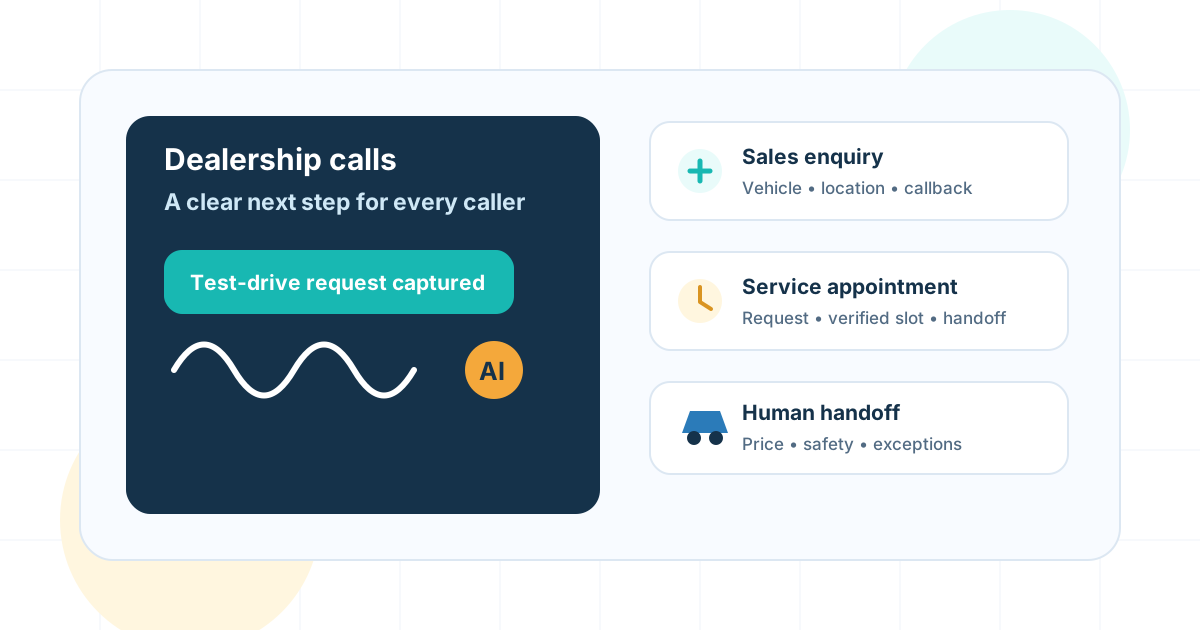
AI Voice Agents for Automotive Dealerships in India: Test Drives and Service Calls
Short answer: An AI voice agent can help a dealership answer routine calls, capture vehicle enquiries, coordinate test-drive requests, and collect service-booking details. It should confirm an appointment only after the dealership calendar or dealer system verifies the slot. Questions about final price, finance approval, vehicle condition, safety, or exceptions belong with dealership staff.
This guide is for new-car and used-car dealerships, dealer groups, and service centres in India. It focuses on the phone workflows around sales and after-sales service. It does not assume that a dealership has a particular dealer management system (DMS), inventory API, calendar, or customer relationship management (CRM) integration.
Why dealerships look at voice automation
Dealership calls arrive while salespeople are with customers, service advisors are checking vehicles, or the showroom is closed. The caller may want a test drive, an on-road price, a service slot, an update on a vehicle already at the workshop, or simply the right department. These requests have different owners and different levels of risk.
An agent is useful when it can give the caller a clear next step and leave staff with accurate context. It is not useful when it guesses stock, quotes an unapproved price, or says a booking is complete when it only captured a request. Begin by mapping the calls your team receives; automate a small, repeatable workflow rather than trying to replace every conversation.
Dealership calls that may fit a first pilot
| Call type | A bounded voice-agent task | Staff handoff trigger |
|---|---|---|
| New-vehicle enquiry | Capture model, variant, location, purchase timeframe, and callback preference | Exact stock, discount, trade-in valuation, or negotiation question |
| Test-drive request | Collect preferred showroom, vehicle, date, and time; confirm only after a verified slot response | Vehicle or slot unavailable, special arrangement, or failed booking write |
| Service appointment | Capture registration or approved vehicle identifier, requested service, preferred location, and time | Warning lights, breakdown, safety concern, or uncertain service requirement |
| Existing service follow-up | Look up an approved status after identity checks and share only the permitted update | No matching record, disputed estimate, repair advice, or delayed delivery complaint |
| Parts or accessories | Record the part or accessory enquiry and vehicle details | Compatibility, fitment, warranty, or live availability is uncertain |
| Call routing | Identify sales, service, parts, or roadside-assistance intent and route to the correct queue | Caller requests a person or routing fails |
Start with lead capture or appointment requests if the underlying systems are not ready for writes. Those requests can be queued for staff to confirm. Add automated confirmation only after you can check availability, create the appointment, and read back the successful result.
Design a test-drive workflow that does not overpromise
The agent should collect only the details needed for the next step: the vehicle or model of interest, preferred dealership, a suitable time window, caller name and contact details, and permission for a follow-up. If the customer asks about a variant or colour, check the live inventory source when one is available. Otherwise, record the question for a salesperson.
Before saying “your test drive is booked,” the workflow should verify the vehicle, dealership, slot, and booking status from the authorized system. If the system creates a pending request, say a salesperson will confirm it. If an integration times out, check whether the request was saved before retrying; otherwise, duplicate appointments can result.
Keep buying conversations with the sales team. The agent may capture the customer’s budget or purchase timeline if the dealership has approved those fields, but it should not invent an on-road price, guarantee a discount, approve financing, value a trade-in, or represent an estimate as a formal offer.
Keep service calls safe and operationally useful
For a routine service appointment, collect the vehicle identifier using the dealership’s approved process, the customer’s preferred location and time, and a short description in the caller’s own words. Read the details back so the customer can correct them. Send the request to the service scheduler or create a verified appointment if the supported system permits it.
Do not turn a booking conversation into remote vehicle diagnosis. If a caller describes a warning light, accident, breakdown, unsafe condition, or urgent roadside issue, follow the dealership’s escalation instructions and connect them to an appropriate person or service. The agent should not advise a caller to continue driving or make a repair based on a guess.
For repair-status calls, use an approved lookup and identity check. Return only the status the caller is allowed to receive. Route estimate disputes, requests to change approved work, and complaints about delays to the service team. A transcript alone should not be treated as authorization to change a repair order.
Connect the workflow to dealership systems carefully
List each system action separately before building an integration: create a lead, append a call summary, request an appointment, confirm a booking, or transfer to a queue. Decide which system owns each field and what response proves that an action succeeded. A call ending normally does not prove a CRM record or booking was saved.
Use minimum permissions for integrations, preserve the caller’s original wording where useful, and make failed writes visible to staff. Match existing customer records with the dealership’s approved identifiers rather than merging records based only on a spoken name. Keep access to recordings, transcripts, and vehicle or contact details limited to people with a business need.
For implementation patterns, see the CRM integration guide, the human handoff guide, and the India implementation checklist. If the first workflow is mainly about missed inbound calls, compare it with the guide to AI receptionists in India.
Test the pilot before opening it to every caller
Use a test environment or staff-owned numbers where possible. Include ordinary enquiries and failure cases such as:
- A caller asks about a model that is not in the connected inventory.
- The caller changes the preferred showroom or appointment time midway through the call.
- The booking system returns no availability or times out after a possible write.
- A caller asks for a final price, discount, loan approval, or trade-in quote.
- A service caller reports a warning light, breakdown, or safety concern.
- The CRM lookup returns multiple possible customer records.
- The caller switches between English, Hindi, or another supported language.
- The caller asks for a person, refuses to provide a detail, or corrects a captured field.
Review whether the agent captured the intent, read back important details, used only approved information, and completed the expected system action. Test the handoff path as carefully as the automated path: staff should receive the caller’s goal, collected details, and the reason for transfer without needing to ask the customer to repeat everything.
Track eligible calls answered, valid leads captured, confirmed appointments, successful handoffs, duplicate or incorrect records, repeat calls, complaints, and staff correction time. Define each metric and its denominator before the pilot. Do not claim more sales, higher service retention, or reduced missed revenue unless a measured comparison supports it.
A practical rollout sequence
Week 1: map and choose. Review call reasons, identify a high-volume low-risk workflow, name its owner, and document what the agent must never promise.
Week 2: connect and rehearse. Configure the approved knowledge, routes, and any supported system action. Test success, failure, language, interruption, and handoff cases with dealership staff.
Weeks 3–4: limited pilot. Route a defined share of eligible calls, review samples daily, and log corrections and escalations. Keep a clear route to a person.
After the pilot: expand by evidence. Fix repeated failure patterns first. Add another call type only when the first workflow is reliable and its owner can handle exceptions.
Frequently asked questions
What can an AI voice agent do for a car dealership?
It can answer approved questions, collect vehicle or service requirements, request or confirm appointments through an authorized system, route calls, and create a structured follow-up for dealership staff.
Can an AI voice agent book a test drive?
It can request or confirm a test drive when it can verify the vehicle, location, slot, customer details, and successful calendar or dealer-system response. If availability is not connected, it should create a callback request instead of promising a booking.
Can it answer questions about car price and stock?
Only when the dealership provides current, authorized inventory and pricing data. It should distinguish an indicative price from a written quotation and route negotiation, finance eligibility, and uncertain stock questions to a salesperson.
Can AI handle service-centre calls?
It can collect a service request, vehicle details, preferred location and time, and a concise description of the issue. Confirmed appointment changes require an authorized service scheduler; safety concerns or diagnostic questions should go to trained staff.
Does a dealership voice agent need a DMS integration?
Not for every first use case. A limited pilot can capture structured requests for staff follow-up. Automated booking, live inventory answers, or customer-record updates require a supported, permissioned connection and a verified success response.
How should a dealership measure a voice-agent pilot?
Measure answered eligible calls, correctly captured leads, verified appointments, qualified handoffs, duplicate records, repeat calls, complaints, and staff correction effort. Compare with a defined baseline and do not treat a conversation as a completed booking.
Related guides
Continue with the AI calling agent guide for Indian sales teams, AI voice agent ROI calculator, missed calls and small-business costs guide, and AI voice agent testing checklist.
Put these ideas into production
Deploy AI voice agents in minutes and build outbound, inbound, and follow-up workflows on one platform.
Related Articles
AI Calling Agent for Indian Sales Teams: Use Cases, Scripts, and ROI
Learn how Indian sales teams use AI calling agents for lead qualification, speed-to-lead, follow-ups, appointment booking, real estate, edtech, insurance, and SaaS sales.
AI Voice Agent ROI Calculator for Indian Call Centers
Calculate the ROI of AI voice agents for your Indian call center. Complete guide with formulas, benchmarks, real examples, and a step-by-step calculator to estimate cost savings and payback period.
How Much Do Missed Calls Cost a Small Business?
A practical missed-call cost guide for Indian SMBs: how to calculate lost revenue, why customers call competitors, what metrics to track, and how AI missed-call recovery helps.
How Do AI Voice Agents Integrate With CRM Systems?
Learn how AI voice agents integrate with CRM systems like HubSpot and Salesforce, what fields to sync, how call summaries work, and what workflow automations to test before launch.
When Should an AI Voice Agent Transfer to a Human?
Learn when an AI voice agent should transfer to a human, how cold transfer, warm transfer, smart routing, and context handoff work, and what Indian businesses should test before launch.
How Do You Test an AI Voice Agent Before It Goes Live?
A practical AI voice agent testing checklist for teams preparing to launch real customer calls. Learn how to test latency, Hindi and Hinglish conversations, interruptions, tool calls, handoff, and production readiness.