How Do I Handle Calls During Lunch, Meetings, and Peak Hours?
How Do I Handle Calls During Lunch, Meetings, and Peak Hours?
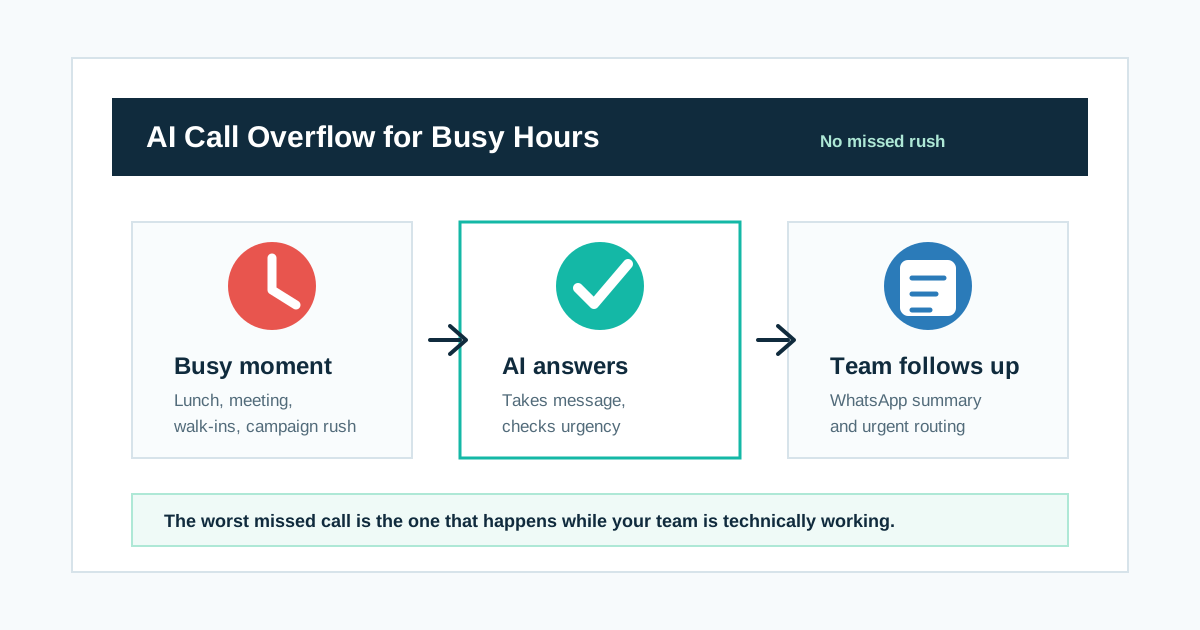
Short answer: Use AI call overflow. When your team is at lunch, in a meeting, already on another call, or handling peak-hour customers, an AI phone agent can answer the overflow call, take details, qualify urgency, route hot calls, and send a WhatsApp or CRM summary for follow-up.
The worst missed call is the one that happens while your team is technically working.
That is the frustrating part.
The shop is open. The clinic is open. The sales team is present. The receptionist is there. The owner is inside the office. Still, the call is missed because everyone is busy at the exact same time.
This is not an after-hours problem.
This is a peak-hours problem.
What call overflow means
Call overflow happens when more people call than your team can answer at that moment.
It is common in small businesses because the same team does many jobs.
| Moment | Why calls overflow |
|---|---|
| Lunch time | Staff are away or rotating breaks |
| Team meeting | Everyone is unavailable together |
| Peak walk-in hours | In-person customers take attention |
| Sales campaign | Leads arrive faster than staff can call |
| Weekend rush | Demand rises but staffing stays same |
| Staff leave | One missing person affects the whole front desk |
| Another call is active | New caller hits waiting or voicemail |
Aircall and RingCentral describe the same practical value in AI phone answering: it can answer inbound calls automatically, handle multiple callers, qualify needs, and route people instead of forcing them into voicemail or a rigid menu.
For Indian SMBs, that matters because callers often do not wait.
Why peak-hour missed calls hurt
A missed call during peak hour feels harmless because the business looks busy.
But from the caller's side, it feels like nobody answered.
| Business view | Customer view |
|---|---|
| We were serving another customer | They did not pick up |
| We were in a meeting | They are unavailable |
| Staff was at lunch | I should call someone else |
| Sales team was busy | They may not need my business |
| Reception was overloaded | This place is hard to reach |
Customers do not know your internal reason.
They only experience the silence.
What AI should do during overflow
AI call overflow should be simple.
| AI action | Why it helps |
|---|---|
| Answer the call | Caller is not ignored |
| Explain calmly | "The team is busy, I can help capture your request" |
| Ask why they called | Intent is recorded |
| Check urgency | Hot calls are separated |
| Take message | Details are not lost |
| Offer callback | Customer knows the next step |
| Send summary | Team can follow up |
| Route urgent call | Serious calls reach humans faster |
The AI does not need to close the sale during overflow.
It needs to keep the customer from disappearing.
A lunch-time call flow
| Step | AI says or does | Business value |
|---|---|---|
| 1 | "Thanks for calling [Business Name]. The team is helping other customers right now." | Honest and human |
| 2 | "I can take your request and ask the team to call you back." | Keeps caller engaged |
| 3 | Asks name, need, location, urgency | Captures useful context |
| 4 | Offers callback time | Creates commitment |
| 5 | Sends WhatsApp/CRM summary | Team sees next action |
This works better than silence.
It also works better than pretending the team is free when it is not.
A meeting-time call flow
Meetings are dangerous because nobody feels responsible for the ringing phone.
AI can cover the gap.
| Caller type | AI response |
|---|---|
| New lead | Capture need and callback time |
| Existing customer | Capture issue and urgency |
| Vendor | Take message and contact detail |
| Complaint | Mark urgent and alert human |
| Appointment request | Capture preferred slot |
| Wrong number | Close politely |
The goal is to make sure every call has a recorded outcome.
Zoho's call logging and follow-up language is useful here: calls, notes, recordings, tasks, and reminders should be tracked so follow-up does not depend on memory.
A peak-hour call flow
Peak-hour calls are often valuable because they happen when demand is high.
| Step | AI action |
|---|---|
| 1 | Answer instantly |
| 2 | Identify if caller is sales, support, appointment, payment, or complaint |
| 3 | Ask urgency |
| 4 | Route hot/urgent callers |
| 5 | Take message for non-urgent callers |
| 6 | Send summary to the right WhatsApp group or CRM pipeline |
| 7 | Create callback task |
This turns a messy busy period into a queue with context.
Can AI take messages properly?
Yes, if the message template is clear.
| Message field | Example |
|---|---|
| Name | Arjun Mehta |
| Phone | +91 XXXXX XXXXX |
| Reason | Wants quote for office cleaning |
| Location | Gurgaon |
| Urgency | Today |
| Preferred callback | 4 PM to 5 PM |
| AI action | Captured details and promised callback |
| Team action | Sales team should call today |
This is not just a message.
It is a follow-up instruction.
Can AI route urgent calls?
Yes, and this is important.
Overflow does not mean every caller should wait.
| Urgency signal | AI action |
|---|---|
| Ready to book now | Transfer or urgent sales alert |
| Same-day service needed | High-priority WhatsApp alert |
| Complaint or escalation | Manager alert |
| Payment issue | Billing/support route |
| Medical emergency | Approved emergency instruction and human escalation |
| VIP or repeat customer | Human callback priority |
AI should separate urgent from ordinary.
That is what makes overflow handling useful, not just polite.
Where unlimited call overflow AI matters
Overflow volume is unpredictable.
You cannot know how many calls will come during lunch, meetings, weekends, campaigns, or seasonal rush.
| Situation | Why unlimited overflow calls help |
|---|---|
| Lunch-hour spike | Every caller gets answered |
| Campaign surge | Lead capture continues |
| Staff shortage | Coverage stays on |
| Festival or wedding season | Call volume can rise sharply |
| Weekend rush | No fear of per-minute bill shock |
| Many short calls | Routine messages do not become costly |
Unlimited call overflow AI lets Indian SMBs answer busy-hour demand without worrying that every extra call minute is adding pressure.
That is the real operational comfort.
What humans should still handle
AI overflow should support the team, not block callers from humans.
| AI handles | Human handles |
|---|---|
| First answer | Complex sales |
| Message taking | Complaints |
| Callback scheduling | Negotiation |
| Basic FAQs | Sensitive issues |
| Urgency tagging | VIP relationship calls |
| Call summary | Final decision |
Good overflow design makes humans more available for the calls where humans matter.
Setup checklist
Before using AI for overflow, define:
| Decision | Example |
|---|---|
| When AI answers | After 2 rings, when busy, during lunch, during meetings |
| What AI says | Honest line that team is busy |
| What details to collect | Name, number, need, urgency, callback time |
| Where summaries go | WhatsApp, CRM, email, dashboard |
| What counts urgent | Ready to buy, complaint, same-day, VIP |
| How transfer works | Live transfer or priority alert |
| Retry rule | AI callback if team cannot call quickly |
Keep it simple enough that staff trust it.
Metrics to track
| Metric | Why it matters |
|---|---|
| Overflow calls answered | Coverage improvement |
| Lunch/meeting calls captured | Hidden lost demand |
| Urgent calls routed | Service quality |
| Messages sent to team | Follow-up visibility |
| Callback tasks created | Process discipline |
| Leads saved during campaigns | Revenue protection |
| Human calls avoided | Staff time saved |
If your team feels less panicked during busy hours and fewer callers disappear, the system is working.
Final answer
To handle calls during lunch, meetings, and peak hours, use AI call overflow.
The AI answers when the team is present but unavailable, takes the message, checks urgency, routes hot calls, and sends a summary for follow-up.
The worst missed call is the one that happens while your team is technically working.
AI call overflow protects that moment.
Related reading: How can a small business stop missing calls without hiring more staff?, Can AI call back leads when my sales team is busy?, Is an AI receptionist good for clinics, salons, and local businesses?, and How can Indian SMBs answer every lead call 24/7?.
Practical worksheets and implementation guides
Put these ideas into production
Deploy AI voice agents in minutes and build outbound, inbound, and follow-up workflows on one platform.
Related Articles
How Can a Small Business Stop Missing Calls Without Hiring More Staff?
A practical guide for Indian SMBs on using unlimited AI calls to answer missed calls, capture leads, handle after-hours enquiries, and send call details to WhatsApp without hiring more telecallers.
Can AI Call Back Leads When My Sales Team Is Busy?
A practical guide for Indian SMBs on using AI callback agents to call missed leads, retry busy customers, update WhatsApp or CRM, and protect sales teams from slow follow-up.
Is an AI Receptionist Good for Clinics, Salons, and Local Businesses?
A practical guide for Indian clinics, salons, and local businesses on using an AI receptionist for appointments, reschedules, call answering, reminders, WhatsApp summaries, and unlimited calls.
How Can Indian SMBs Answer Every Lead Call 24/7?
A practical guide for Indian SMBs on answering every customer lead call 24/7 with AI calling, after-hours AI reception, lead qualification, WhatsApp summaries, and unlimited inbound AI calls.